> ## Documentation Index
> Fetch the complete documentation index at: https://docs.mythic-c2.net/llms.txt
> Use this file to discover all available pages before exploring further.
# Event Feed
> Review operational events, service messages, warnings, and resolutions.
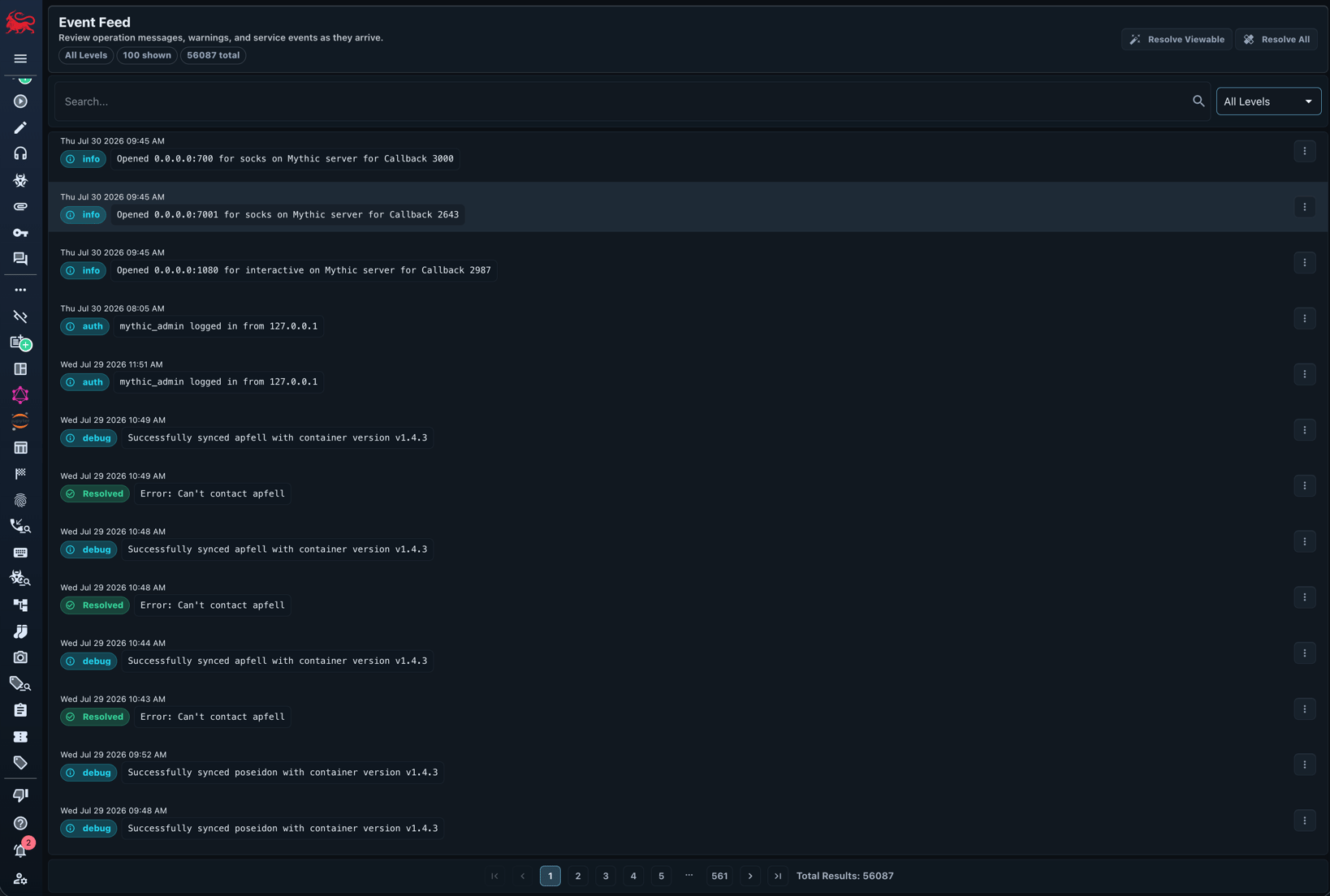
The event feed is Mythic's live operational audit stream.
It records new callbacks, payload builds, operator login events, service state changes, API messages, warnings, and errors.
Open it with the bell icon on the bottom left.
Filter by message type, search message text, and focus on unresolved warnings.
Errors appear as unresolved events until an operator records that the problem is resolved; the event remains in the history with its resolution state.
 Mythic 4.0 operation chat is separate from the event feed. Use [Operation Chat](/version-4.0/operational-pieces/operation-chat) for operator conversations and AI chat containers; use the event feed for system and audit events.