> ## Documentation Index
> Fetch the complete documentation index at: https://docs.mythic-c2.net/llms.txt
> Use this file to discover all available pages before exploring further.
# Artifacts
## What is it?
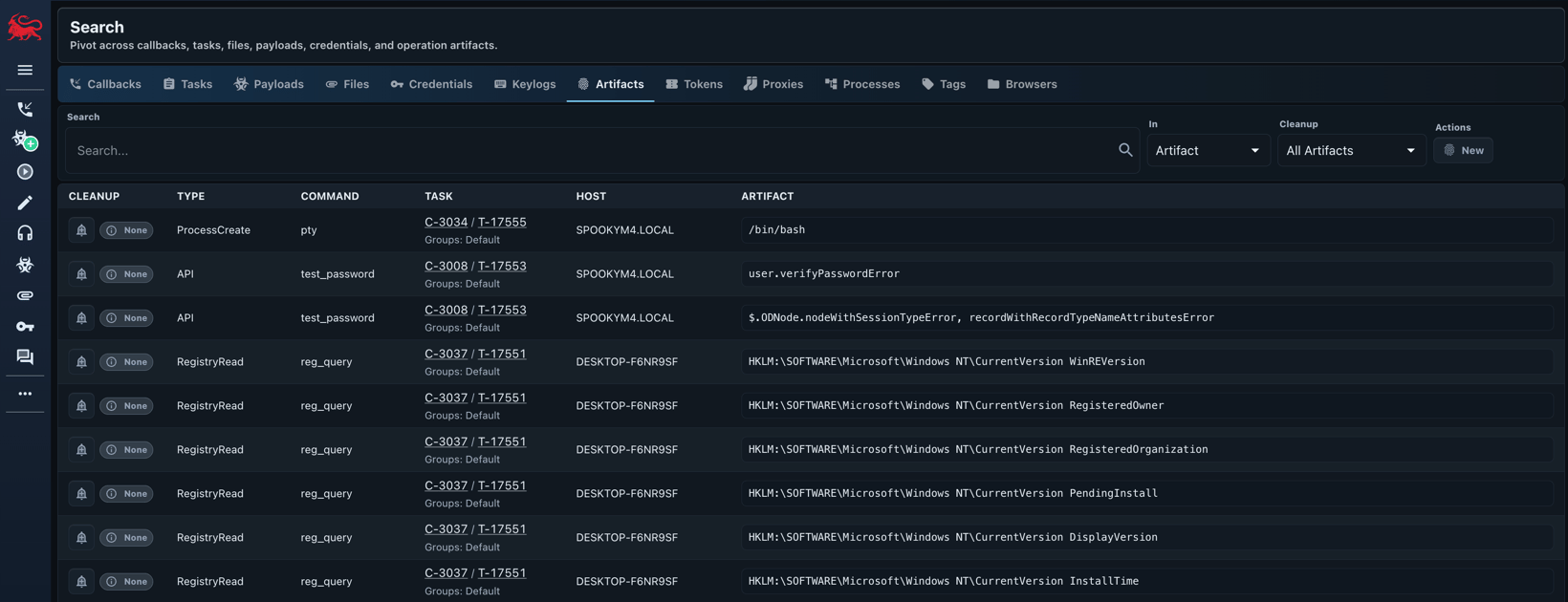
Artifacts track potential indicators of compromise and other notable events occurring throughout an operation.
## Where is it?
A list of all current artifacts can be found by clicking the fingerprint icon in the left nav bar.
 ## How to use it?
This page tracks all of the artifacts automatically created by executing tasks.
This should provide a good idea for both defenders and red teamers about the artifacts left behind during an operation and should help with deconfliction requests.
### When is it updated?
Artifacts are created in a few different ways:
1. A command's tasking automatically creates an artifact.
2. An agent reports back a new artifact in an ad-hoc fashion
## How to use it?
This page tracks all of the artifacts automatically created by executing tasks.
This should provide a good idea for both defenders and red teamers about the artifacts left behind during an operation and should help with deconfliction requests.
### When is it updated?
Artifacts are created in a few different ways:
1. A command's tasking automatically creates an artifact.
2. An agent reports back a new artifact in an ad-hoc fashion