
sleep 0 for it to work. This is where “interactive” tasking comes into play.
If your command specifies a supported_ui_feature of task_response:interactive, then Mythic will display a slightly different interface for that task’s output.
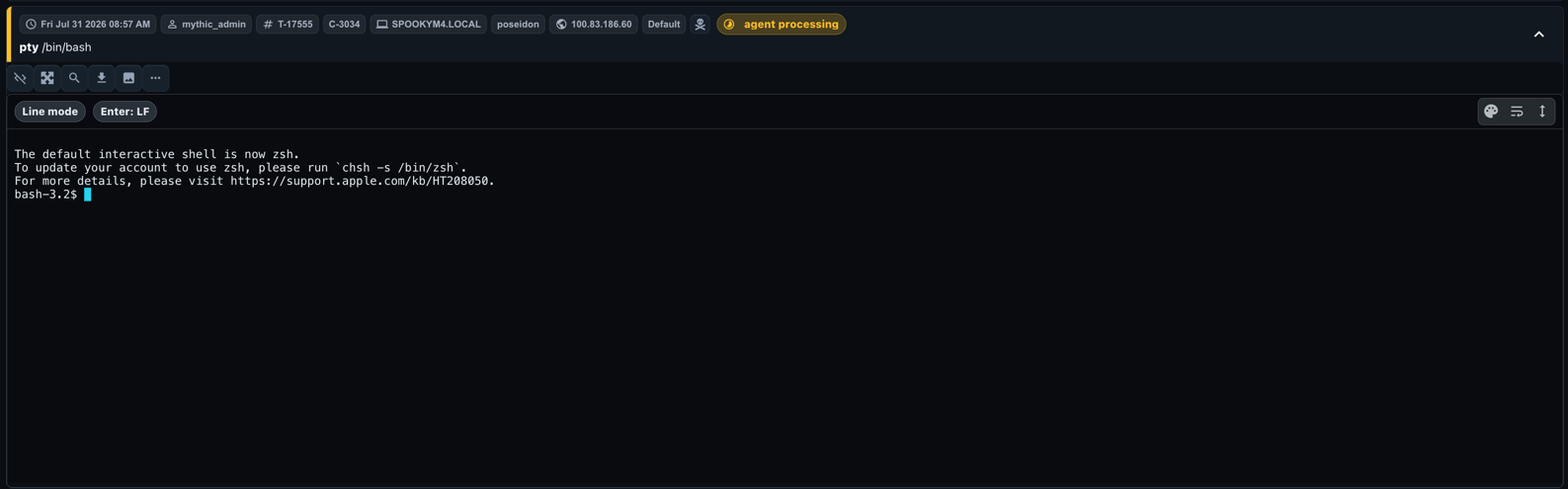
None option is particularly useful you want to send something along like “q” or ” ” to the other side without sending “q\n” or ” \n”.
Mythic 4.0 uses an xterm-based terminal renderer with improved keyboard and scroll handling. Operators can also switch compatible stored output among terminal, plaintext, JSON, and Markdown views and control wrapping from the response toolbar.
Just like with SOCKS and RPFWD, you can use MythicRPCProxyStart to open up a port with this sort of task. If you do, then you can interactively work with the task through your own terminal instead of through the web UI.
Note: When tasking through the UI, all input is tracked as normal tasking, but no “tasks” are created when interacting via the opened port. Output is still saved and displayed within the UI.
For information on the wire format, see Interactive Tasking Messages. Message types 100–102 are reserved for the separate File Editor Protocol.