
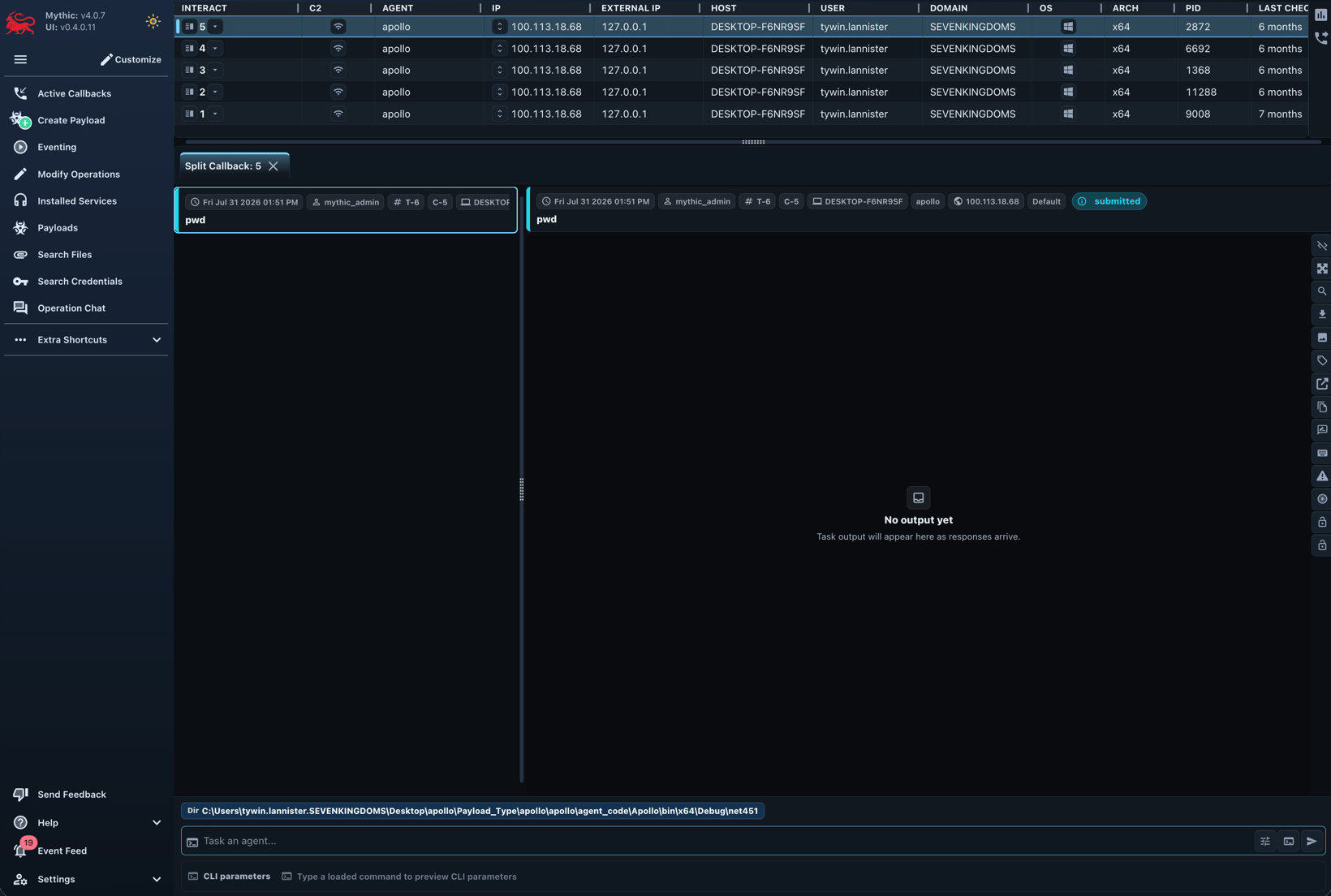
Callback table
Sort and filter the table, resize columns, or open a row’s context menu. You can right click the table columns or the rows themselves to get a lot of options. The operation-scoped callback number shown in the UI is itsdisplay_id; v4 public tasking actions generally call this callback_display_id.
Common fields include host, IP addresses, user, PID, operating system and architecture, integrity level, last check-in, description, payload, sleep information, and callback lock.
High-integrity callbacks are visually distinguished when the payload reports integrity_level greater than 2.
- open a tasking view or the single-callback workspace
- edit the description and row color
- lock or unlock the callback
- open file, process, or custom browsers
- inspect callback, payload, C2, and graph metadata
- invoke an eventing workflow for one or more callbacks
- hide a callback or issue its payload type’s exit command
Tasking
Select a callback, type a command, and pressTab to complete command names, parameter names, and supported choices.
Use the arrow keys for history and Ctrl+R for reverse history search.
Operator aliases can expand reusable command lines, while task references can resolve @cred and @link values immediately before submission.
Tasks normally progress through these states:
The task header shows its operation-scoped display ID, issuing operator, command, display parameters, status, timestamps, comments, tags, and available actions.
Open the display ID to share a focused single-task view.
Output views
Mythic 4.0 adds improved response streaming, pagination, filtering, completion tracking, and single-task navigation. Plain output can switch amongplaintext, formatted JSON, Markdown, and xterm-based terminal rendering.
Interactive commands use the terminal for keyboard input and ANSI output while Mythic continues to record responses and browser-originated input.
Browser scripts can still transform structured output into tables, media, graphs, and tabs.
Toggle the browser script per task when you need the raw response.
Commands that implement the file-editor protocol display a versioned editor directly in the response area.